Flow
Flow is a local application for inspecting and managing machine learning experiment runs produced by the LUML SDK. It reads experiments from a local store populated by the SDK's ExperimentTracker and provides a structured interface for parameters, metrics, logged models, traces, and evaluation results. Once a run has been validated locally, it can be promoted to the central Registry for long-term storage and reuse.
Flow is launched from the directory of the project that produced the experiments. The command starts a local server and opens the interface in the browser.
pip install lumlflow
lumlflow ui
For experiments to surface correctly in Flow, the producing code must use the LUML SDK to record runs. See the SDK documentation for the logging API.
Home Screen
The home screen is the entry point of the application and consists of two regions: a row of informational cards at the top, and a list of experiment groups below.
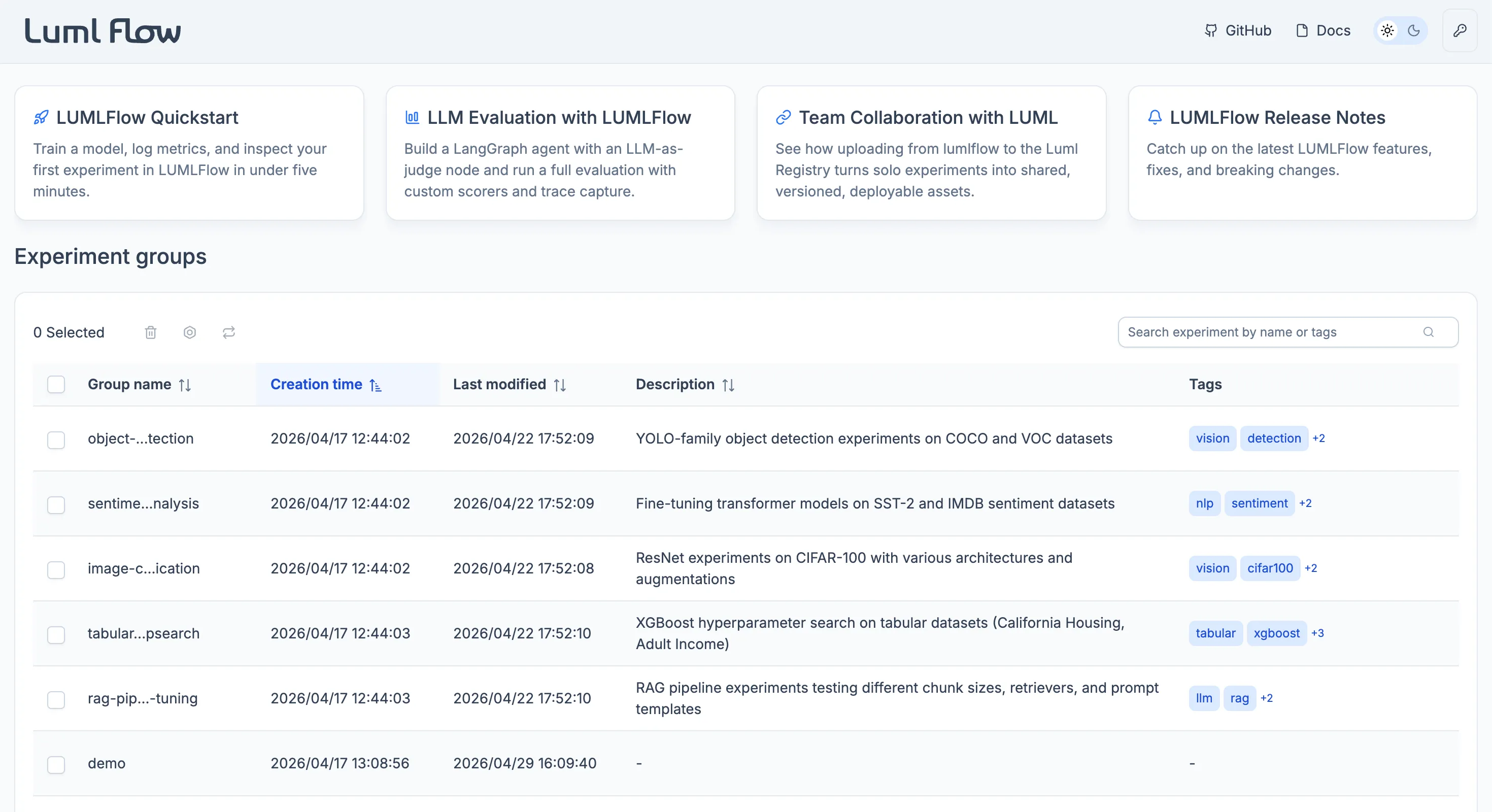
Below the cards, the home screen lists every experiment group defined in the project. Each experiment belongs to a certain group, which lets users organize runs by project, task type, or research direction. Selecting a group opens its experiments list.
Experiments List
The experiments list displays every run within the selected group as a structured table. Each row corresponds to a single experiment and exposes both the metadata captured automatically by the SDK and the fields supplied by the user at logging time. The default columns include the experiment ID, name, description, creation time, tags, status (pending, completed, or canceled), the source .py file from which the run was launched, any logged models, and the run's static parameters and dynamic metrics.
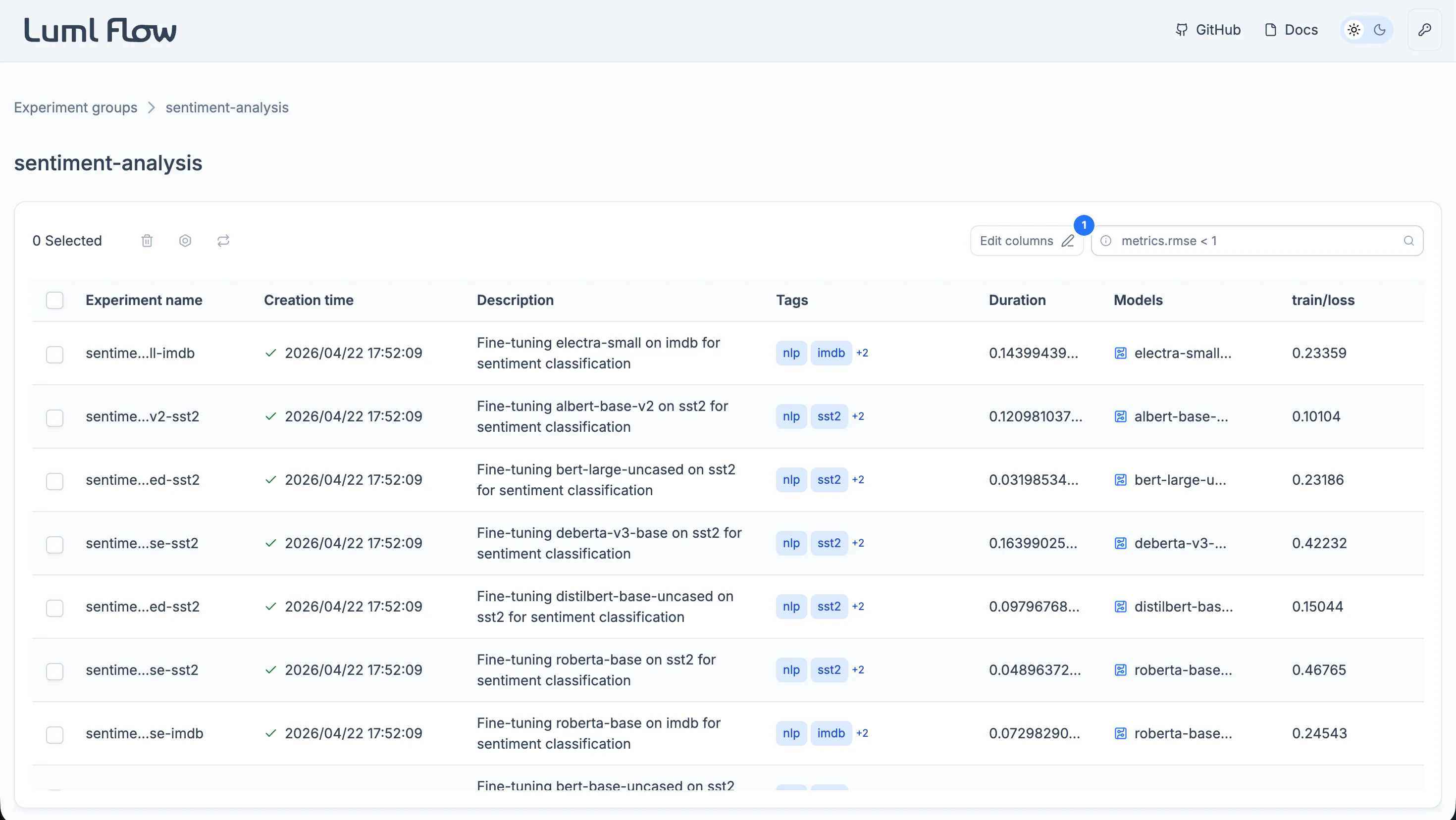
The list supports sorting on any column, in either direction. Sorting on metric or parameter columns is the typical way to surface the best-performing configurations within a group.
Visible columns can be customized to match the user's current focus. Columns can be hidden, reordered, or restored, and the configuration persists for the active session.
A SQL-like search bar accepts expressions over parameter and metric values. Queries such as accuracy >= 0.8 or loss <= 0.4 return only the experiments that satisfy the condition, which makes it practical to navigate groups containing many runs.
Selecting a row opens the detailed view for that experiment. See Experiment View.