Uploading to LUML
Flow runs locally, but completed experiments can be promoted to the LUML Registry for long-term storage, sharing across an organization, and downstream use in deployments. Promotion is performed through the Upload to LUML action available on the experiment's information card in the Experiment View.
The action is gated by a LUML API key, which links the local Flow instance to a user's account on the LUML platform. The key can be supplied as an environment variable in the project's .env file, in which case it is read automatically when Flow is launched, or entered directly through the Flow interface, where it is stored for the active session.
When no API key is configured, the Upload to LUML button is replaced with instructions explaining how to obtain a key and where to provide it. The remainder of the experiment view continues to function without a key.
Once a valid key is available, selecting Upload to LUML opens a configuration form that determines where the experiment will be stored on the platform. The form requires three selections: the Organization that the experiment belongs to, the Orbit within that organization where the experiment is being promoted, and the Collection that will hold the run.
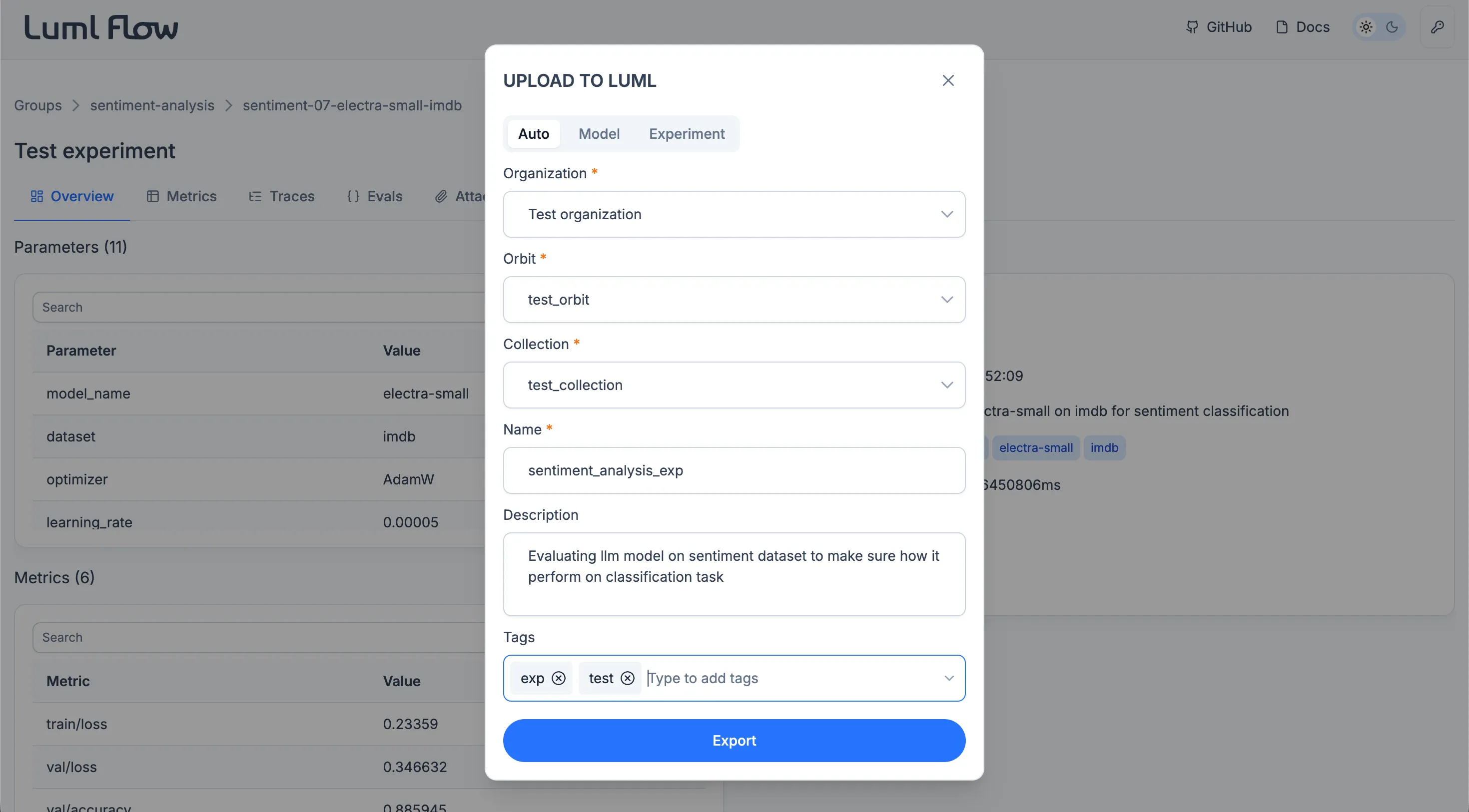
Confirming the form transfers the experiment together with its parameters, metrics, logged models, traces, evaluation results, and attachments into the selected Collection. Once uploaded, the experiment becomes a .luml artifact in the Registry and is subject to the same versioning, access control, and downstream usage rules as any other Registry asset.