Board
The board is a Kanban-style view of every workflow and task across all registered repositories. Cards are grouped into four lanes that reflect the lifecycle of a run.
Pending. Workflows and tasks are placed here at creation. Nothing is executed yet. A run leaves this lane only when its Run action is triggered from the card.
Running. A workflow or task that has at least one live agent session. For tasks this means the coding CLI is open in a terminal. For workflows it covers any node — Implement, Run, Debug, or Fork — that is currently executing. A card in the waiting for input status also belongs to this lane: it indicates that the agent is paused on an interactive prompt, and that attaching to its terminal is required to continue.
Completed. Runs that have finished, regardless of outcome. The lane covers three terminal statuses: succeeded, failed, and canceled. The lane header shows a fail counter that summarizes how many cards ended in a non-success state.
Merged. Workflows and tasks whose resulting branch has been merged back into the base branch. Merging is an explicit action from the run detail view and never happens automatically. The merge semantics differ between workflows and tasks; see Workflows and Tasks for the details that apply to each.
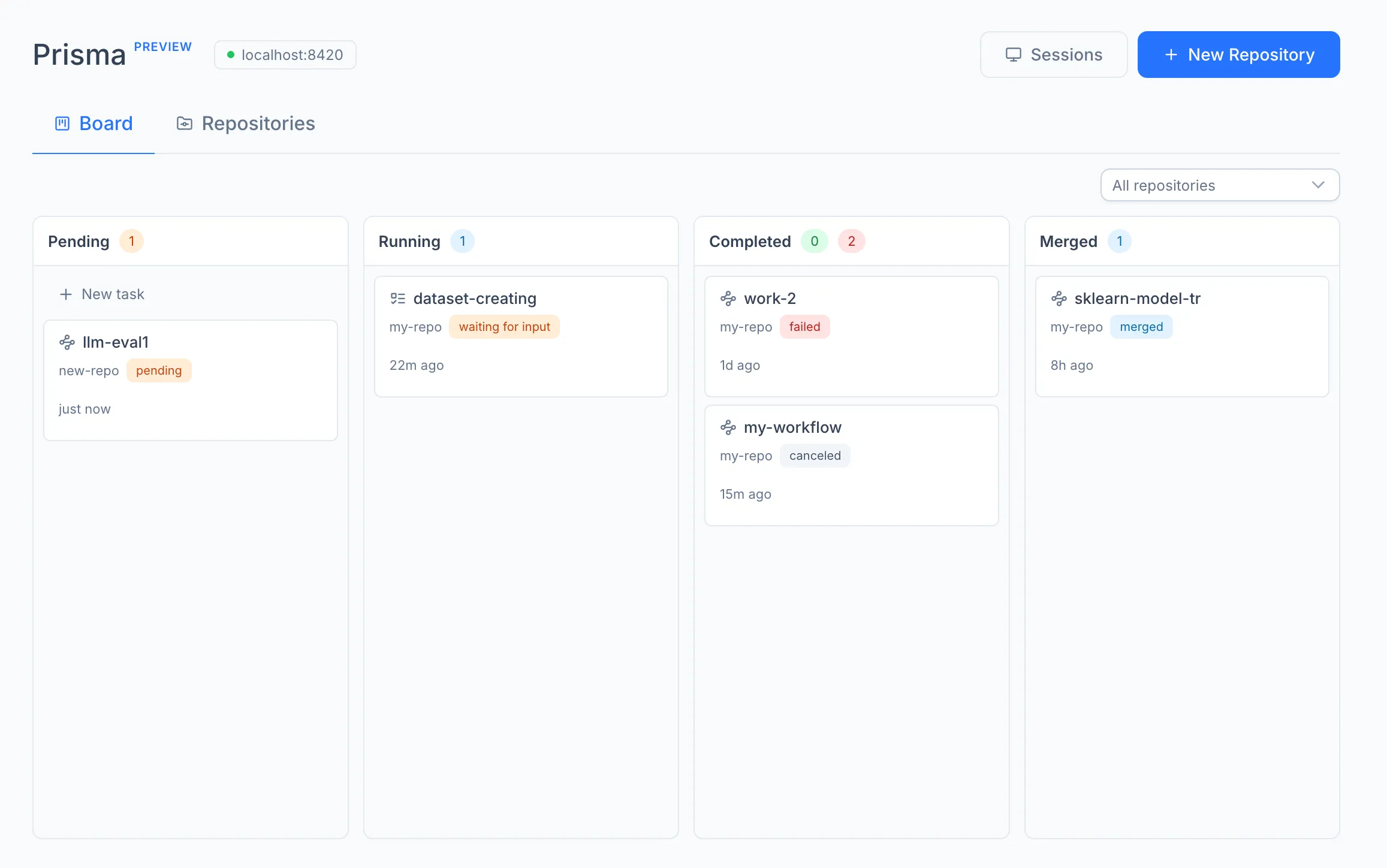
Cards can be reordered within a lane by dragging. The board polls the engine periodically and updates in place, so external state changes (for example, a finished run on another tab) appear without a manual refresh. A repository filter at the top of the board narrows the view to a single registered repository.
The board hosts two distinct types of cards. Workflows are multi-step runs that execute a tree of agent nodes and optimize for a metric. Tasks are single-step runs that open one agent terminal for an ad-hoc request. Both types share the same lane lifecycle but differ in their creation form, execution model, and merge behavior.