Tasks
A task is a single-step run that opens one terminal session against the chosen coding agent. It is the in-Prisma equivalent of invoking the agent CLI directly from a shell, with the difference that the run is tracked on the board and isolated in its own Git worktree.
Tasks have no run command, no metric, and no upload step. The agent receives a single prompt, executes interactively until it terminates, and the resulting branch is left for the user to merge. Tasks are intended for ad-hoc requests: small refactors, targeted bug fixes, single-feature implementations, or any work that does not benefit from the multi-step optimization loop of a workflow. Running multiple tasks in parallel and tracking them from the board is the workflow that tasks are designed for.
Creating a Task
The task creation form is shorter than the workflow form. It asks for the repository, the base branch (with the same prisma/ filtering as workflows), the agent, the task name, and the prompt that is given to the agent on its first turn.
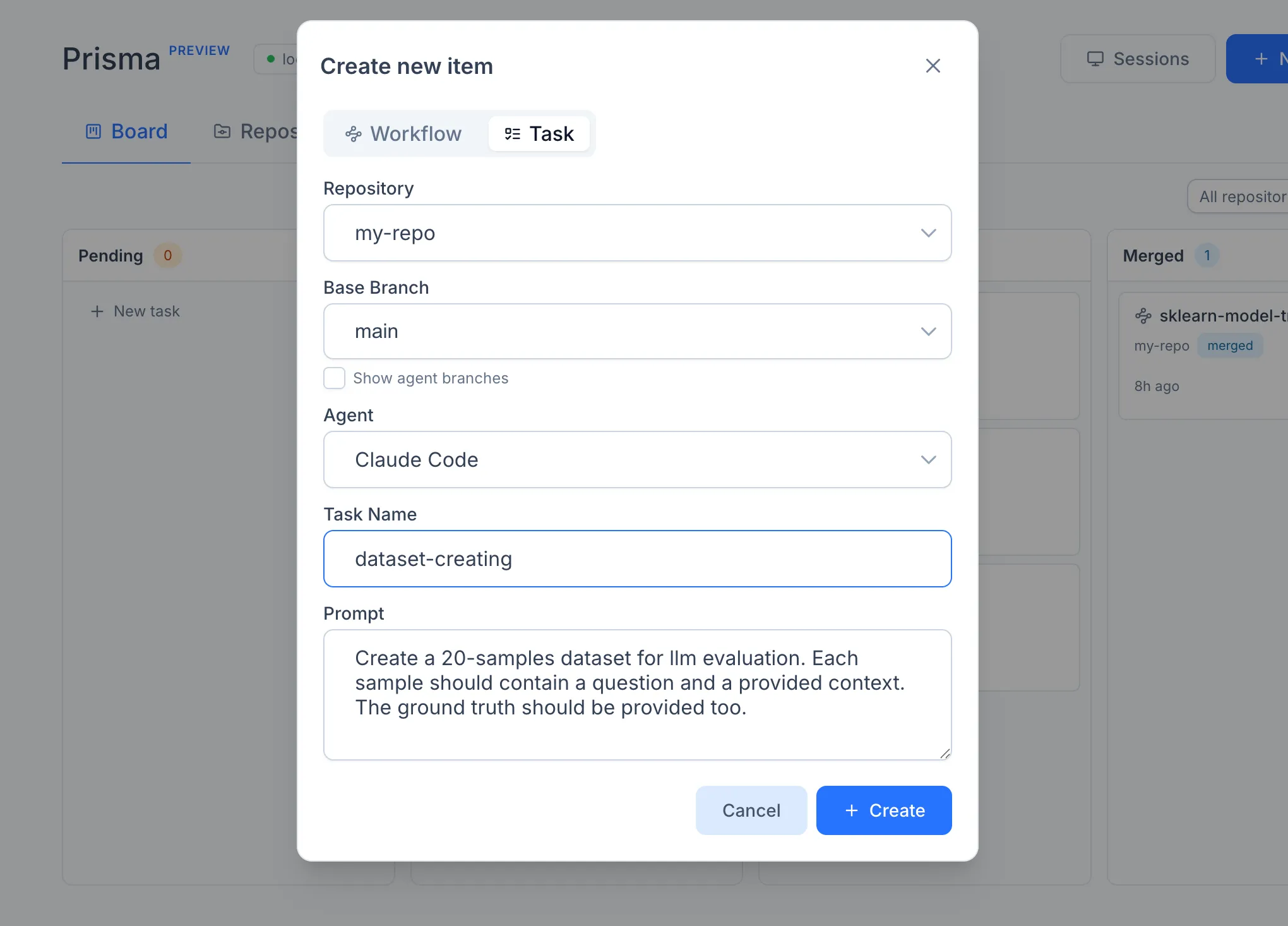
There is no auto mode, no metric configuration, and no advanced options. The agent runs interactively from the start. To attach to it and continue the conversation, click the running card on the board (or the Sessions dialog in the page header) and use the terminal panel.
Lifecycle
Once started, the task moves into the running lane and stays there until the agent process exits. Prisma does not interpret the agent's output; the task is considered finished when the underlying CLI process terminates.
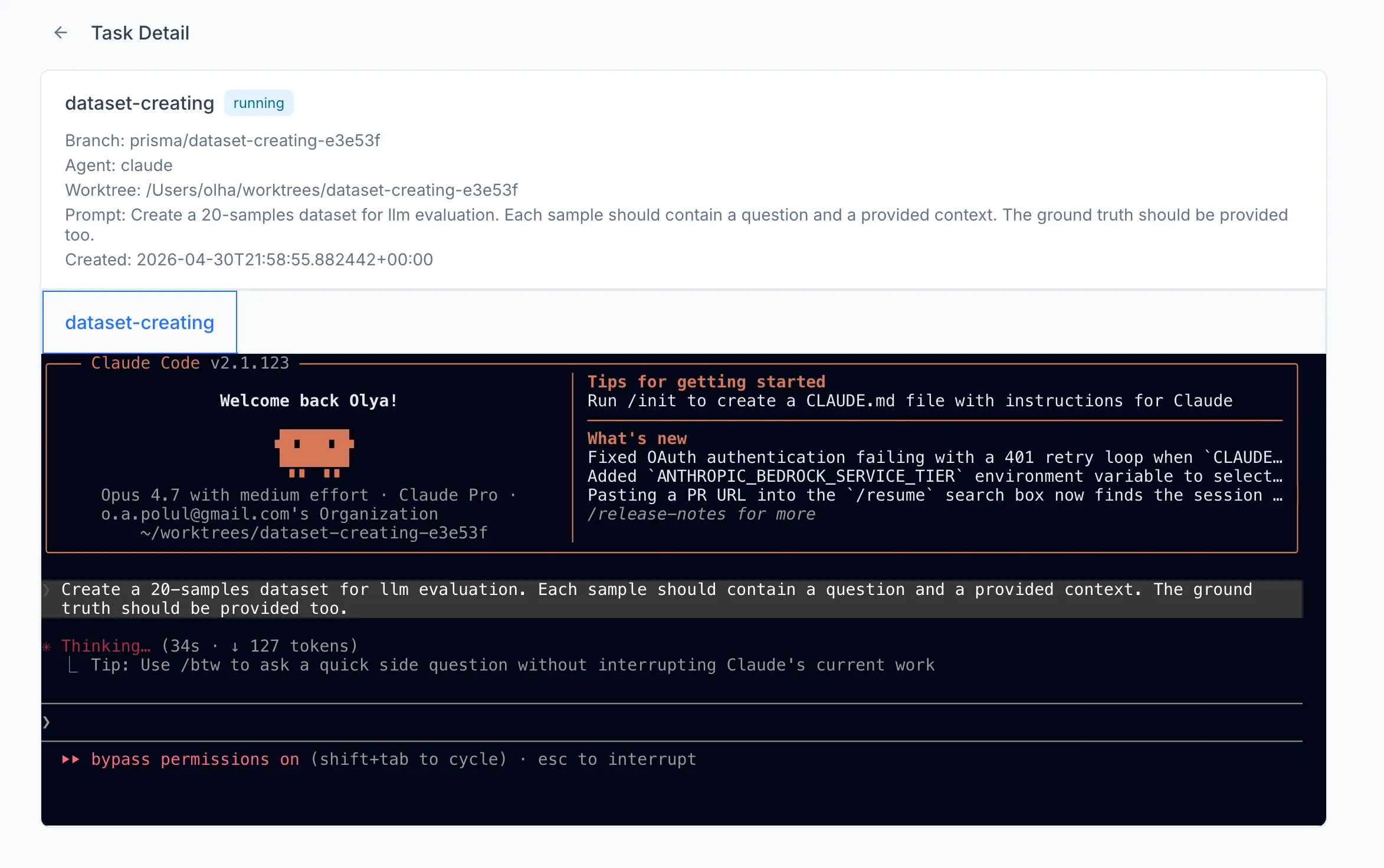 The task lands in the completed lane regardless of how it ended, and the resulting branch can then be inspected, edited, or merged.
Merging a task moves the task's branch into the base branch. Conflicts are reported back to the user and have to be resolved manually outside of Prisma. Once merged, the card moves into the merged lane.